Google Account Registration Guide: 100% Success Rate Complete Tutorial (2025)
Complete Google account registration guide for users in mainland China. Using WegetCloud clean IP + Gmail App registration method for highest success rate. Includes IP purity detection, overseas phone number setup, and two-factor authentication.
Quick Summary
This tutorial provides detailed instructions for successfully registering a Google account from mainland China. The key is using a clean overseas IP (WegetCloud premium nodes recommended) and the Gmail App for registration. With proper environment setup and two-factor authentication, you can significantly increase registration success rate and enjoy seamless access to Google services and other overseas platforms.
Why Do You Need a Google Account?
A Google account is your “passport” to the international internet, enabling you to:
- Use Gmail for email
- Watch YouTube videos
- Use Google Search and Google Maps
- Download apps from Play Store
- Use Google Drive cloud storage
- Experience Gemini AI tools
- Register for ChatGPT, Instagram, TikTok, Twitter, and other platforms
Key Success Factors
| Factor | Description | Importance |
|---|---|---|
| IP Purity | Use clean IP from WegetCloud premium service | ⭐⭐⭐⭐⭐ |
| Registration Method | Use Gmail App (mobile), avoid web registration | ⭐⭐⭐⭐⭐ |
| Phone Number | Overseas phone numbers have higher success rate | ⭐⭐⭐⭐ |
| Age Requirement | Birth date must show 18+ years old | ⭐⭐⭐ |
IP Purity Detection
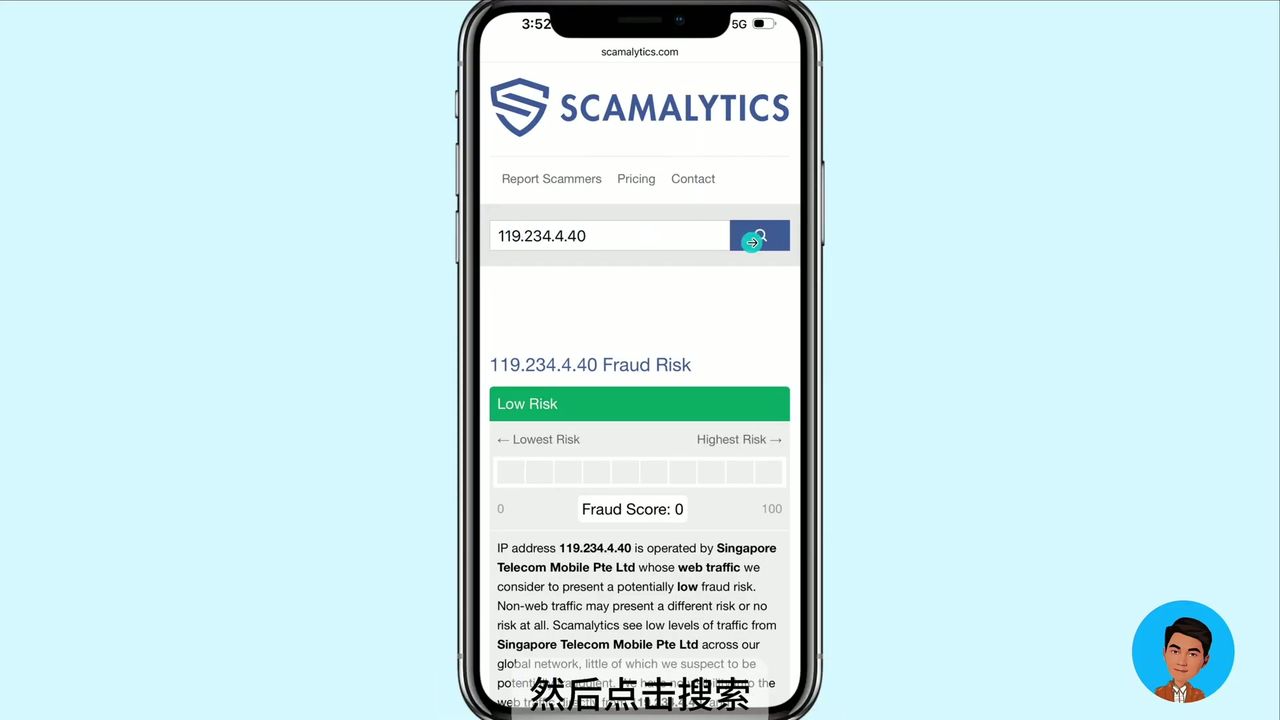
Before registering, always check your IP purity. This is the decisive factor for registration success.
IP Purity Score Standards
| Score | Risk Level | Description |
|---|---|---|
| 0 | Very Clean | Highly recommended, almost no risk |
| 0-10 | Acceptable | Usually works fine |
| 76+ | High Risk | Almost certain to cause account suspension |
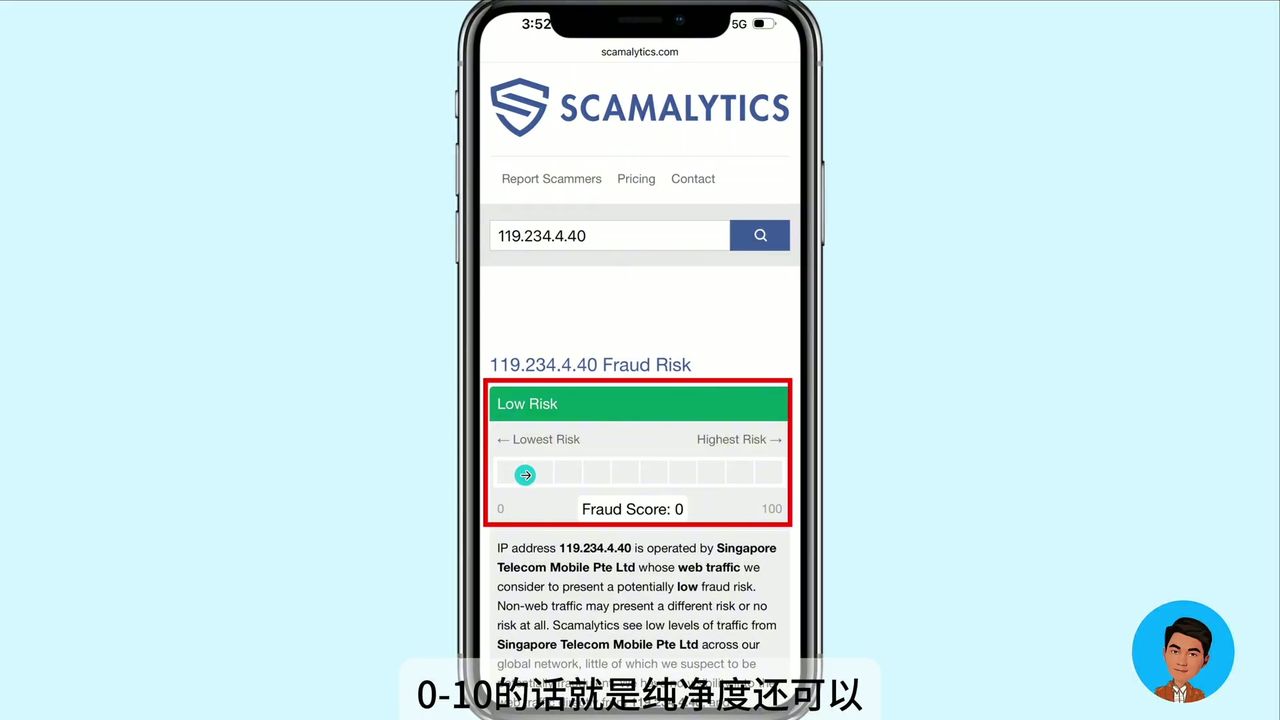
Clean IP Example
Clean IP detection result: Score 0, extremely low risk
High Risk IP Example
 High risk IP: Score 76, registration will almost certainly fail with this IP
Important: If your IP shows as impure, switch to different nodes in WegetCloud client until you find a clean IP. WegetCloud premium nodes typically have higher IP purity.
Detailed Registration Steps
Step 1: Preparation
- Install Gmail App: Download and install Gmail app on your phone
- Connect to WegetCloud: Ensure you’re connected to a clean WegetCloud node
- Check IP Purity: Confirm IP score is below 10 using detection websites
- Prepare Phone Number: Overseas phone number recommended (e.g., Talktone, Giffgaff)
Step 2: Start Registration
- Open Gmail App
- Select “Add Account” → “Google” → “Create Account”
- Enter name (English name works)
- Set username (this becomes your email address)
- Set password
Step 3: Phone Verification
Recommended overseas phone numbers:
- Talktone (US virtual number)
- Giffgaff (UK physical SIM)
- eSIM Plus (Austria)
- SKM (Singapore)
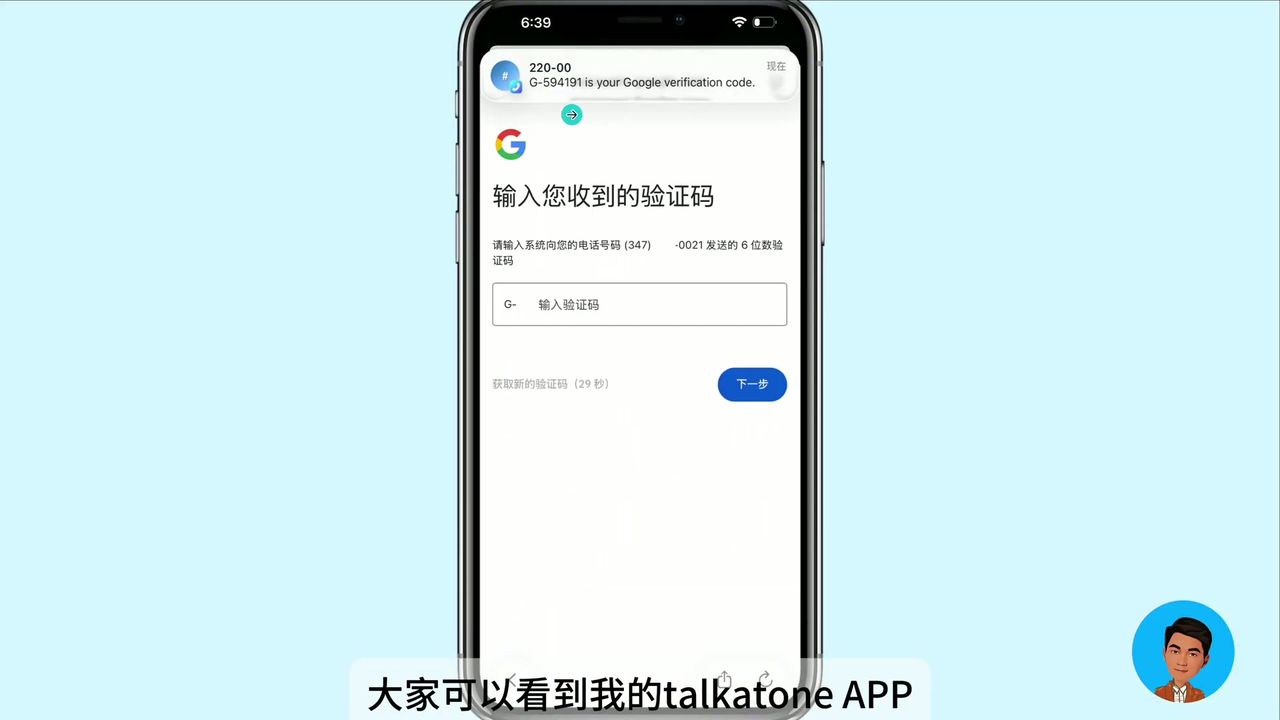 Successfully receiving Google verification code via Talktone
Note: Chinese mainland phone numbers can also work with clean IP, but overseas numbers have higher success rates.
Step 4: Complete Information
- Enter birth date (must be 18+ years old)
- Select gender
- Add recovery email (QQ, 163, and other Chinese emails work)
- Accept terms of service
Step 5: Set Up Two-Factor Authentication (Highly Recommended)
After successful registration, immediately enable 2FA to protect your account:
- Go to Google Account settings
- Find “Security” → “2-Step Verification”
- Download Google Authenticator
- Scan QR code to complete binding
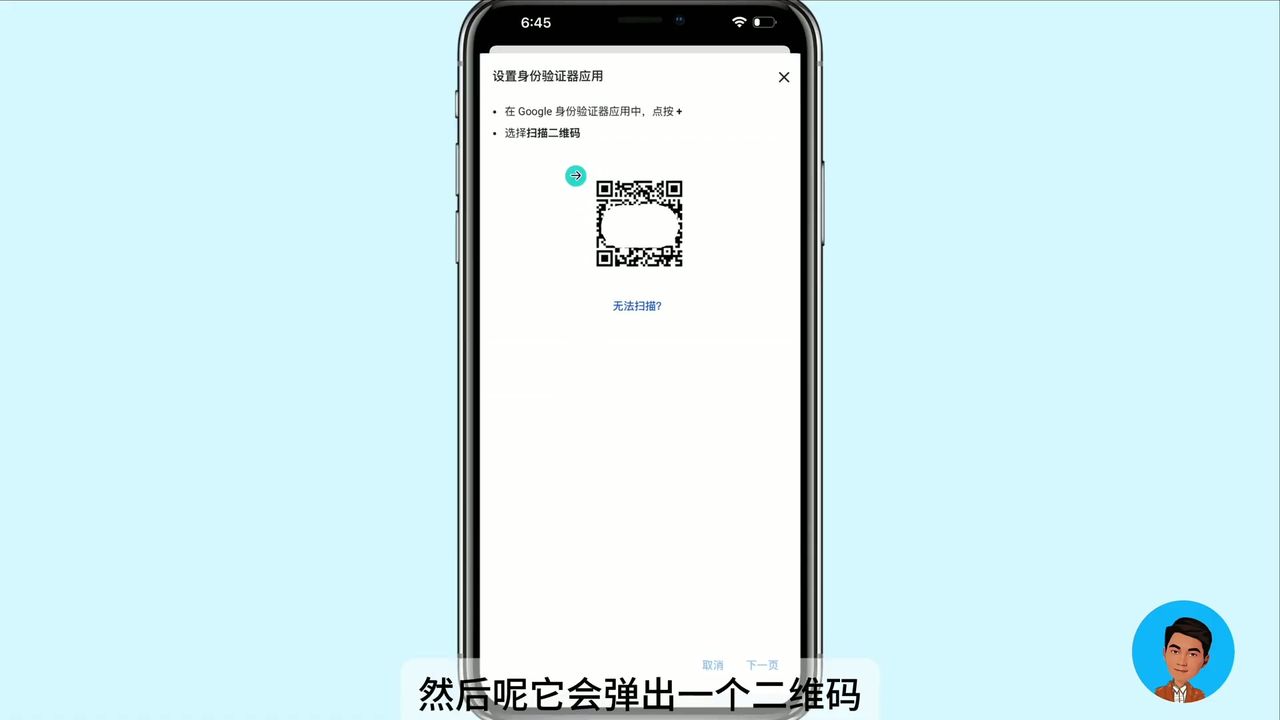 Scan QR code to bind Google Authenticator
Benefits of two-factor authentication:
- Significantly improves account security
- No SMS verification needed when logging in on new devices
- Verification codes refresh every 30 seconds
Common Issues and Solutions
Issue 1: Cannot register via web browser
Solution: Use Gmail App for registration. Mobile registration has much higher success rate than web.
Issue 2: Phone number cannot receive verification code
Solution:
- Check IP purity, switch WegetCloud nodes
- Use overseas phone number (Talktone recommended)
- Ensure phone number hasn’t been used for too many registrations
Issue 3: Account suspended after registration
Solution:
- Use clean IP during registration (score 0-10)
- Set up 2FA immediately after registration
- Add recovery email
Target Users
Recommended For
- Users who need Google services (Gmail, YouTube, Play Store)
- Users who need to register for ChatGPT, TikTok, Instagram, and other overseas platforms
- Users who value account security and are willing to set up 2FA
Alternative Options
If you prefer not to register yourself, you can consider purchasing pre-made accounts, but note:
- May be out of stock during peak times
- Still recommended to set up 2FA after purchase
Conclusion
The core of successful Google account registration is having a clean overseas IP. Using WegetCloud premium service provides high-quality clean nodes, combined with Gmail App registration method, for an extremely high success rate. After registration, be sure to enable two-factor authentication to protect your digital assets.
Further Reading
- 💬 ChatGPT Plus Android Subscription - After registration, subscribe at original price using US nodes
- 📖 WegetCloud Complete Configuration Guide - Detailed client setup with 4K video speed tests
- ⚡ WegetCloud In-Depth Review - 3 years of real-world experience and speed tests
Get Clean IP for Easy Google Registration
Want 100% success rate for Google account registration? You need a clean overseas IP:
- High IP purity: WegetCloud premium nodes ensure registration success
- Multiple node options: Hong Kong, US, Singapore premium nodes
- Stable and reliable: Three years of real-world testing